
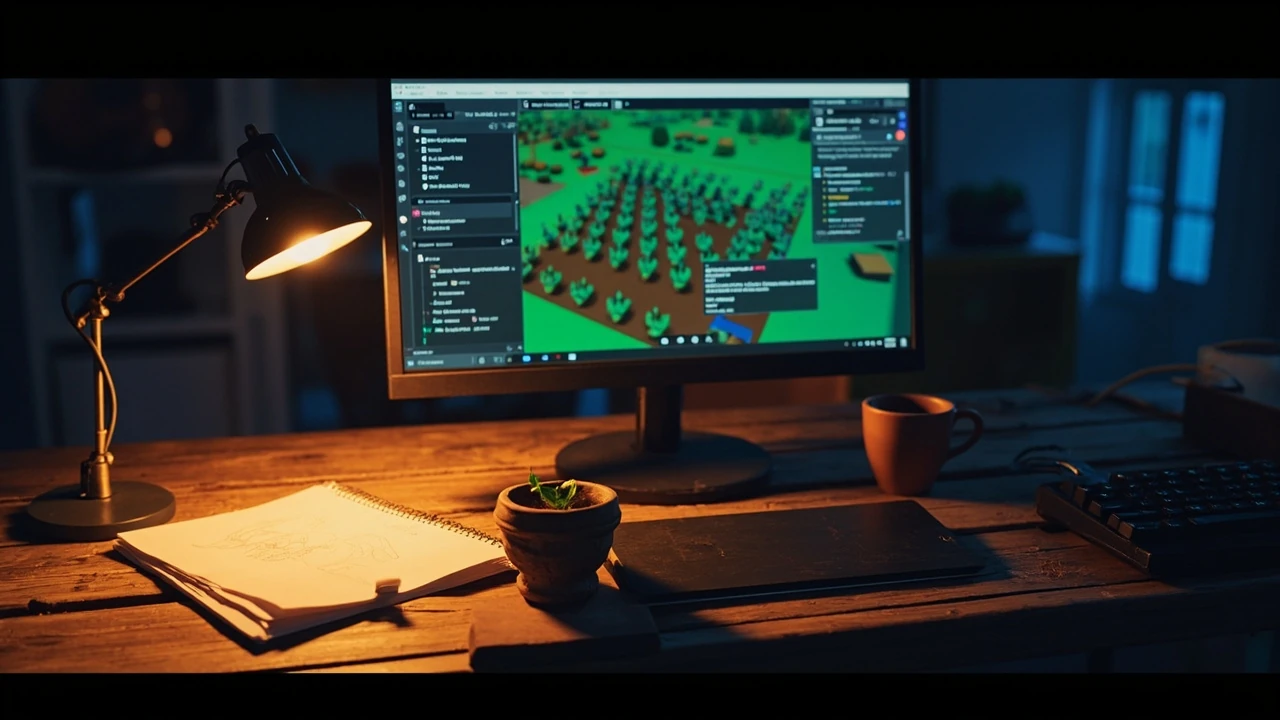
Recipe grow a garden: what the keyword actually means for a developer
A search for recipe grow a garden usually lands a player in the middle of a Roblox farm plot, trying to remember which seed produces which crop and how the mutation system interacts with weather, pets, and gear. Behind that surface, the same phrase points to one of the most discussed Roblox experiences of recent years: a farming sim that turned a small prototype into a record-breaking concurrent player title. For a developer, a designer, or a technical artist reading the phrase, the interesting question is not just how to grow a virtual carrot, but how a game built by a teenager inside Roblox Studio became a system-driven hit, and what its recipe teaches about scripting, balancing, and content cadence.
This article treats the phrase as a developer brief. It walks through what the game actually is, how the recipe system, plant data, mutations, and economy fit together, and what an external developer can learn by studying the same patterns. It is not a player walkthrough, and it is not a sales pitch for any studio. The goal is a working understanding of the systems so that you can make better decisions the next time you script a growth loop, balance a craft chain, or plan a content drop inside a Roblox experience.
You will also see a frank discussion of what is officially documented, what is observed in the community, and what is editorial interpretation. Roblox Studio and the platform itself continue to evolve, and Grow a Garden has been updated many times since launch. Where a specific number, mechanic, or event is not part of an official changelog, the article flags it as community observation rather than confirmed engineering detail.
Why Grow a Garden matters as a GameDev case study
When a Roblox experience reaches the top of concurrent player charts, the games press pays attention. The reason is not just the player count; it is what the title implies about platform economics, low-code tooling, and the kind of systems that scale. Massively Overpowered’s coverage of the game frames it as an example of how far Roblox Studio can carry a serious systemic design when the underlying patterns are clean. The piece explains that the title was developed largely solo and grew from a simple farming concept into a live game with significant reach.
For a developer, three things stand out. First, the entire game runs inside Roblox Studio, which means its source of truth is Luau-based scripts attached to a server-authoritative model. Second, the player-visible complexity, including plants, mutations, pets, gear, weather, and crafting, is not the result of a large custom engine; it is the result of a relatively small set of data tables and event handlers reused across many entities. Third, the content cadence is not cinematic: it is the kind of regular, data-driven update that a small team can sustain. Each of these points is reproducible in other Roblox projects, which is why the title reads as a recipe rather than a curiosity.
There is also a useful contrast with traditional engine development. A Unity or Unreal developer reading about Grow a Garden will recognize the growth loop, the inventory layer, the recipe resolver, and the live-tuning spreadsheet. What is unusual is that those ideas are expressed in Luau, deployed through Roblox’s cloud infrastructure, and reached by an audience that mostly plays on low-end hardware, including school Chromebooks, family tablets, and older laptops. That constraint shaped the game’s recipe and economy. A heavy shader pipeline would have excluded most of the actual player base, so the system had to carry depth on its own.
A second contrast is with mobile-first Roblox experiences, which often lean on short session loops and aggressive monetisation. Grow a Garden stayed closer to the slow-burn cadence of a desktop farming sim: longer growth timers, an economy that rewards returning, and a layered recipe system that takes more than a single sitting to read. That pacing decision is what allowed a data-driven update loop to land with the audience it did. The system had room to breathe, and players had room to learn it.
The growth loop at the heart of the recipe
Every farming sim has a loop, and Grow a Garden’s is intentionally simple at the surface and intentionally layered underneath. The player acquires seeds, plants them in a plot, waits through a grow timer, harvests a crop, and sells or recycles the result into the next batch. What makes the loop interesting for a developer is the number of modifiers that touch the same data path.
Seed to crop, step by step
- The player opens a shop or vendor and buys a seed entry from a server-side catalog.
- The seed is added to the player’s inventory as an item with a plant identifier, a base growth time, and a base value.
- The player places the seed on a plot. The plot registers the plant identifier and starts a server-authoritative timer.
- As time passes, the plant advances through growth stages, each stage potentially modifying weight, variant, and value.
- When the timer ends, the plot fires a harvest event, the player’s inventory receives a crop item, and the plot is freed.
- The crop is either sold for currency or fed into a recipe or crafting subsystem that turns it into another item, gear, or seed.
That sequence is the spine. Anything else in the game, including mutations, weather, pets, and gear, is a modifier that either shortens the timer, increases the output, or adds a variant layer on top. Treating the loop as a chain of small, deterministic events rather than a single state machine is what keeps the system tractable for a small team. If you can keep each step in that chain testable in isolation, you can ship weekly content without rebuilding the spine every time.
A useful mental model is to think of each step as having exactly one input and one output, plus a list of zero or more modifiers that have asked to be notified. The plant module does not need to know whether a pet, a piece of gear, or a weather event is responsible for a given modifier; it only needs to call the right hook at the right time. That indirection is what lets the same plant code serve a normal carrot, a glowing mutated carrot, and a weather-boosted carrot with three different value calculations. The data does the variation, not the code.
How the recipe system actually works
The recipe system is the part of the game that most players search for under the phrase recipe grow a garden. It is also the part that maps most directly to familiar GameDev patterns. A recipe is, at its core, a function from a multiset of inputs to a deterministic output, with optional constraints and probabilities. Once you frame it that way, the question stops being “which seed do I combine with which crop” and starts being “what is the resolver actually doing at the moment the player hits the craft button.”
The data shape of a single recipe
While the exact schema is internal to the developer, the practical shape can be summarized as a small record. A clean version of that record, useful as a reference for a similar system, looks like the following.
| Field | Type | Role in the recipe |
|---|---|---|
| id | string | Stable identifier referenced by other systems |
| inputs | array of item references | Ingredients consumed when the recipe runs |
| quantities | array of integers | How many of each input are required |
| output | item reference | The result item produced on success |
| outputQuantity | integer or range | How much of the result is created |
| craftTime | number (seconds) | Server-authoritative time before the result is granted |
| station | enum or string | Which crafting station can run the recipe |
| rarity | enum | Display color or tier used in the UI |
| cooldown | number (seconds) | Per-player or per-station lockout after a craft |
| requirements | optional predicates | Player level, quest state, or world flags |
The advantage of this shape is that the recipe resolver becomes a small piece of code. Given a player’s inventory, it can ask: is there at least one crafting station of the right type, do I have the required quantities of every input, and are the optional requirements satisfied. If the answer is yes, the server starts a craft timer, removes the inputs at the moment the craft begins, and produces the output when the timer ends. The exact field names will differ from the game’s internal code, but the responsibilities are the same.
The other advantage is that the resolver can be unit-tested without any UI. A test feeds in a mock inventory, a mock station, and a recipe row, and checks the side effects on the inventory and the produced output. That kind of test is what lets a small team change recipes without rerunning the whole game client, and it is the single most important reason a recipe system feels solid in production.
Where the resolver usually breaks
Most resolver bugs come from three places. The first is partial consumes, where a failed requirement check happens after some inputs have already been removed. The second is silent retries, where a network blip causes a craft to be applied twice. The third is drift between client and server, where the client shows a craft that the server never accepted. All three are avoidable with a strict contract: inputs are only removed when the craft begins, every craft has a unique server-side identifier, and the server is the only system that grants outputs. A team that writes those three rules into the resolver on day one will spend a fraction of the time debugging the live game.
Plants, seeds, and the inventory model
Plants are the dominant item type, and the inventory model has to support both stackable seeds and crops as well as unique gear and pets. The cleanest way to think about it is to split items into a small set of categories and let each category own its own behavior. Plants, for example, need a growth timer and a plot affinity. Gear needs durability, an equip slot, and a modifier list. Pets need a roster, a hunger or loyalty stat, and an effect hook that modifies plants.
| Item category | Stackable | Owns a timer | Can be equipped | Interacts with plots |
|---|---|---|---|---|
| Seed | Yes | No | No | Yes, when planted |
| Crop | Yes | No | No | No, but can be sold or recycled |
| Gear | No | No | Yes | Indirectly, via modifiers |
| Pet | No | No | Yes, to a roster slot | Indirectly, via effect hooks |
| Cosmetic | No | No | Yes, to a vanity slot | No |
That separation lets the inventory code stay simple. The same insert, remove, and find-by-id operations apply to every category, and the behaviors that differ live in a small set of category-specific handlers. This is exactly the pattern a small team needs when they are shipping new plants every week without breaking older content. A new seed is a new row in the seed table, not a new branch in the inventory code. A new gear piece is a new row in the gear table, with a modifier list that the gear module already knows how to read.
Persistence matters here too. Roblox’s DataStore service is the practical choice for most small experiences, and the inventory should be written as a single, versioned record per player rather than as a bag of per-item records. Versioning matters because the schema will change. A migration step that runs when the version number is older than the current version is the cleanest way to handle renamed fields, removed items, and rebalanced values. Skipping that step is the single most common reason a farming sim’s save data slowly becomes a liability.
Mutations, weather, and the modifier pipeline
What makes Grow a Garden’s growth loop feel alive is the layer of modifiers that act on plants while they grow. The most discussed example is mutations, which are chance-driven changes to a crop’s variant, weight, or value. A mutation is, in system terms, an event handler that fires at growth milestones, reads a small probability table, and conditionally applies a modifier to the plant’s data record. The player sees it as a flash of color or a surprising number on a crop; the developer sees it as a row in a table, an event subscription, and a single function call.
The pipeline can be sketched as a sequence of independent modules. Each module owns one concern, and each can be turned on or off without breaking the rest.
- Plant module owns the growth timer, stage progression, and base yield.
- Weather module owns a world-level state machine that may fire rain, drought, or special events on a schedule.
- Pet module owns a roster of active pets and the effect hooks they register with the plant module.
- Gear module owns equipped gear and the passive modifiers it registers on the player.
- Mutation module owns the chance table and the rules for what a mutation does to weight, variant, and value.
- Event module owns time-limited boosts, double-yield weekends, and admin-driven overrides.
What unifies these modules is the contract between them. The plant module exposes a small surface area: start growth, advance stage, finalize harvest, query modifiers. Every other module either reads that surface or registers a hook on it. This is the same pattern that larger engines call an entity-component system, expressed in a way that fits a small Luau codebase. The cost of the pattern is that a developer has to keep the hook list disciplined, but the benefit is that a new mechanic, like a new weather event or a new pet, can be added without rewriting the growth code.
A practical detail that often gets missed is the order in which modifiers are applied. A pet that boosts weight and a mutation that multiplies value both want to touch the same crop, and the order in which they run changes the result. The cleanest solution is a fixed pipeline order defined once in the plant module: pets first, then gear, then weather, then mutations, then event overrides. Once that order is fixed, every modifier can be designed against a known baseline, and balance changes become local to a single module rather than scattered across the system.
From prototype to record-breaker: production realities
The game’s rise was not only a function of clever systems. It was also a function of platform reach, a young developer audience, and the way Roblox’s discovery surfaces reward concurrent play. For a developer reading the story, the most useful lesson is not that any one mechanic is magic; it is that the team kept the surface area small and the update cadence high. Each new plant, pet, or weather event could be expressed as data, not as new code, because the underlying modules had been written with that in mind.
The trade-off is real, though. A data-driven system that ships new plants every week will accumulate technical debt in the form of stale entries, inconsistent fields, and undocumented interactions. The way to manage that debt is to keep the schema strict. If a field is optional, it should always have a default. If a value is rare, it should still be representable in the data without a code change. These are unglamorous disciplines, but they are the difference between a system that scales to a year of live operations and one that collapses under its own weight after the third content drop.
It is also worth noting that the title was developed largely by a single creator during the period covered by public reporting. That context matters for expectations. A solo or small-team development effort inside Roblox Studio can absolutely produce a system-driven hit, but the system design has to be tight enough that one person can reason about all of it. Sprawling codebases do not survive the same conditions. The right comparison is not “how many people did it take to make this game” but “how much of the game’s behavior can one person explain in a single sitting.”
Live operations also impose their own constraints. A update that ships a new plant on a Tuesday has to coexist with a player base that is still running plants planted on Monday. That means timers, modifiers, and recipe resolutions all have to remain backward compatible for as long as any player has a live plot in the world. The cleanest way to enforce that is to treat the data schema as the public contract: older fields keep working, new fields default to no-op, and removed fields trigger a migration rather than an error. A team that designs for that constraint on day one avoids the worst class of post-launch bugs.
Reading the player’s recipe list as a developer
Players keep long recipe lists for Grow a Garden, including the exact combinations that produce specific seeds, gear, or rare crops. Reading those lists as a developer is a useful exercise. Each entry is a hint about which inputs are scarce, which outputs are valuable, and where the economy is under- or over-pressured. A healthy farming sim has recipes that span the full input rarity spectrum, so that a player can always find a next step that is achievable but not trivial.
Three patterns are worth watching.
- Sink recipes consume high-tier crops and turn them into something the player actually wants, like a powerful seed or a unique gear piece. Without these, the economy stalls.
- Bridge recipes convert a common crop into a slightly less common one, so the player has a path forward when pure luck does not deliver the mutation they want.
- Cap recipes use up excess high-tier output in a way that does not flood the market, often by feeding into cosmetic or vanity outputs.
When a recipe list feels uneven, the cause is usually one of those three patterns missing. A developer who can spot which one is missing is in a strong position to design the next content drop without breaking earlier balance work. Sink and cap recipes are especially easy to skip because they look like “waste” from a content perspective, but they are the structural pieces that keep the economy from running away.
It is also worth comparing recipe lists across weeks. A recipe that was a healthy bridge in week one can become a bottleneck in week four if a single output gets too popular. Tracking the inputs and outputs of each recipe over time, even with rough community numbers, is the cheapest way to catch that kind of drift before it forces a hotfix.
What the game is, in plain Roblox Studio terms
Grow a Garden is a Roblox experience that runs inside the standard Roblox client. The developer version of the question, “what is the recipe grow a garden built on,” answers itself in three pieces. The client is the standard Roblox client. The development environment is Roblox Studio, with Luau as the scripting language. The persistence layer is the standard Roblox data store service, with leaderboards and inventory keyed to a player identifier. Anyone who has built a small Roblox experience before will recognize every one of those pieces.
The game’s Wikipedia entry, which sits at the Grow a Garden page on English Wikipedia, places it in the broader category of Roblox farming experiences and notes the role of the original developer. It is a useful first reference for non-Roblox readers, but it does not replace the changelogs and the in-game documentation for anyone building on the same platform. The two are complementary: the Wikipedia article gives the historical frame, and the developer’s own patch notes give the system-level frame.
For a developer, the most actionable summary is that nothing about the game is technically inaccessible. The patterns it uses are patterns a competent Roblox developer can implement in a focused project. The hard part is the design discipline: keeping the recipe schema clean, the modifier list short, and the update cadence sustainable. Those three disciplines, more than any single mechanic, are what carried the game from a small prototype to its position on the concurrent charts described in the Massively Overpowered piece linked earlier.
How to study the game without copying it
Studying a successful game is a normal part of GameDev. The right way to do it is to read the systems, not the assets. The asset list of Grow a Garden is replaceable; the system list is not. Three habits are worth adopting.
- Read the changelog, not the screenshots. Official patch notes and developer statements are where the real design intent shows up. Screenshots show what the game looks like; the changelog shows what the team thinks is worth changing.
- Reverse the data, not the art. When a new plant is added, ask what fields it had to fill in the existing schema. If the answer is “a new field was added to support it,” that is a code smell and a design lesson at the same time.
- Track the economy weekly. Even without access to the data store, community trackers and the player-visible market will show which recipes are healthy and which are not. Patterns of inflation or stagnation are the real signal.
None of these habits require copying the game’s specific recipes, art, or names. They require copying the discipline of watching the system as a system, which is the part of the recipe that actually matters. A new farming sim that copies the plant art of a successful title will at best look familiar; a new farming sim that copies the discipline of weekly data review and strict schemas will at best run for years.
There is also a social layer worth observing. The way the developer communicates changes, the way the community reports bugs, and the way the patch notes are written all tell a developer what the team’s priorities actually are. A team that writes detailed patch notes is signaling that they care about the system being legible. A team that ships silent balance changes is signaling that they expect the community to discover the new state on its own. Both are valid, but they imply different things about how the system has to be designed.
Designing a similar growth loop in your own Roblox experience
If the goal is to build a smaller-scale version of the same loop, the cleanest sequence is to start with the data, not the scene. The scene will be easy; the data is the part that has to be right.
Step 1: define the item schema
Decide on a fixed shape for every item. Include the fields you expect to need for the first three months of content, but no more. A useful checklist:
- id, displayName, category, rarity, iconAsset
- isStackable, maxStack
- baseValue, baseWeight
- category-specific fields, for example growthTime for seeds, equipSlot for gear, effectHooks for pets
Step 2: define the recipe schema
Use the shape described earlier in this article. Keep it flat, keep it strict, and resist the temptation to add new fields every time a recipe feels slightly different. The flatness is what makes the system scriptable.
Step 3: build the plant module first
The plant module is the spine. Get the timer, the stages, the harvest event, and the modifier registration surface right before any other system is wired up. A clean plant module is what lets every later module plug in without breaking earlier work.
Step 4: add one modifier at a time
Add a weather module, then a pet module, then a mutation module, in that order. After each addition, run a small balance pass. The order matters because weather affects every plant equally, pets affect the player’s roster, and mutations affect the harvest output, so building them in that sequence keeps each new addition’s blast radius contained.
Step 5: ship recipes as data
Every recipe is a row in a data table, not a new function. The recipe resolver stays small. A new recipe is a content drop, not a code drop.
That five-step sequence is enough to reach a working prototype. The next six months of work are the same loop, repeated: add content as data, watch the economy, prune dead recipes, and resist the urge to refactor the schema. The strongest signal that the design is right is that the only files being changed in a normal week are data files, not scripts.
Common mistakes when building a recipe-driven farming sim
Most failures in this kind of game are not graphics failures or marketing failures. They are data failures. The same mistakes show up over and over in the wild, and they are worth naming so that a careful developer can avoid them.
- Letting recipes diverge in shape. Once some recipes use one schema and others use another, the resolver becomes a tangle of conditional code. A strict schema is a maintenance tool, not a stylistic preference.
- Mixing client and server authority. Growth timers, recipe resolution, and inventory state must live on the server. The client is for presentation, not for truth. Anything else invites exploit.
- Hiding modifier logic in scripts. If a mutation’s behavior lives in a function instead of in a data row, it cannot be tuned without a redeploy. Modifiers belong in data, with scripts that read data.
- Forgetting the sink. A farming sim that only produces output is a sim that will eventually collapse under inflation. The recipe layer has to include sinks that consume high-tier output in a way the player actually wants.
- Updating without a balance pass. A new plant that interacts with an old mutation can quietly break a year of earlier balance. A balance pass after every content drop is not optional.
None of these mistakes are unique to Roblox. They show up in Unity, Unreal, and Godot projects too. The platform does not save a developer from the discipline; the discipline is the platform-independent part of the recipe. A useful test is to ask, before any new feature ships, “what row in which table changes to enable this.” If the answer is “a new function in a new script,” the design is probably drifting away from the data-driven ideal.
Another common mistake is treating the community wiki as the source of truth. Community wikis are valuable for understanding how players actually use a system, but they are downstream of the data, not upstream. If the wiki contradicts the data, the data is right and the wiki is describing emergent behavior. A team that updates the data to match the wiki will slowly lose control of its own economy.
Frequently asked questions
What does the phrase recipe grow a garden actually refer to?
In a player context, it usually points to a specific combination of inputs that produces a particular seed, gear piece, or crop inside the Roblox experience Grow a Garden. In a developer context, the same phrase refers to the design and data patterns the game uses to make those combinations work, including the recipe schema, the modifier pipeline, and the growth loop that ties them together.
Is Grow a Garden built in Roblox Studio with Luau?
Yes. The game runs inside the standard Roblox client and is developed in Roblox Studio using Luau. That is what makes it a useful case study: every pattern in the game is something a Roblox developer can read and, with discipline, reproduce.
How does the recipe system stay balanced as new content is added?
The cleanest pattern is to keep the recipe schema flat and strict, ship new recipes as data rows, and run a balance pass after every content drop. Sink recipes, bridge recipes, and cap recipes should all exist in roughly equal measure so that the economy does not stall or inflate.
Can a small team realistically build a similar farming sim?
Yes, as long as the system design is disciplined. The patterns are not hard. The hard part is keeping the schema strict, the modifier list short, and the update cadence sustainable. A sprawling codebase will not survive the same conditions that a small, data-driven one will.
Where can I read more about the game’s history and reach?
For an external overview, the English Wikipedia article on Grow a Garden and Massively Overpowered’s coverage of the title, which describes it as one of PC gaming’s biggest and a garden growing game made by a teenager in Roblox, are the most useful starting points. Both treat the title as a serious case study rather than a curiosity.
Do players need to know the developer-side patterns to enjoy the game?
No. The game’s surface is designed for a general Roblox audience. The developer-side patterns only matter to readers who are building similar systems, porting the design, or studying the title as a GameDev case study. Most players will be served by the in-game recipe lists, the community wikis, and the regular update notes from the developer.
What is the single most important discipline when designing a recipe system?
Keeping the schema flat and the resolver small. Every new field, every new conditional in the resolver, and every new hidden rule adds a future cost. The systems that scale are the ones where the next recipe is a row, not a function.
Are mutations random, and how are they balanced?
Mutations are chance-driven in the sense that the engine rolls a probability when a plant reaches a growth milestone, but the probabilities themselves are data, not code. That is what makes them tunable. A developer who wants a less generous mutation rate can lower the data value without redeploying the script that reads it.
What should I do if my own farming sim economy is stalling?
Look first for missing sink recipes that consume high-tier output in a way players want. If sinks are present, look for bridge recipes that convert common crops into less common ones, and for cap recipes that convert excess output into cosmetics. The economy usually recovers once one of those three patterns is restored.
