
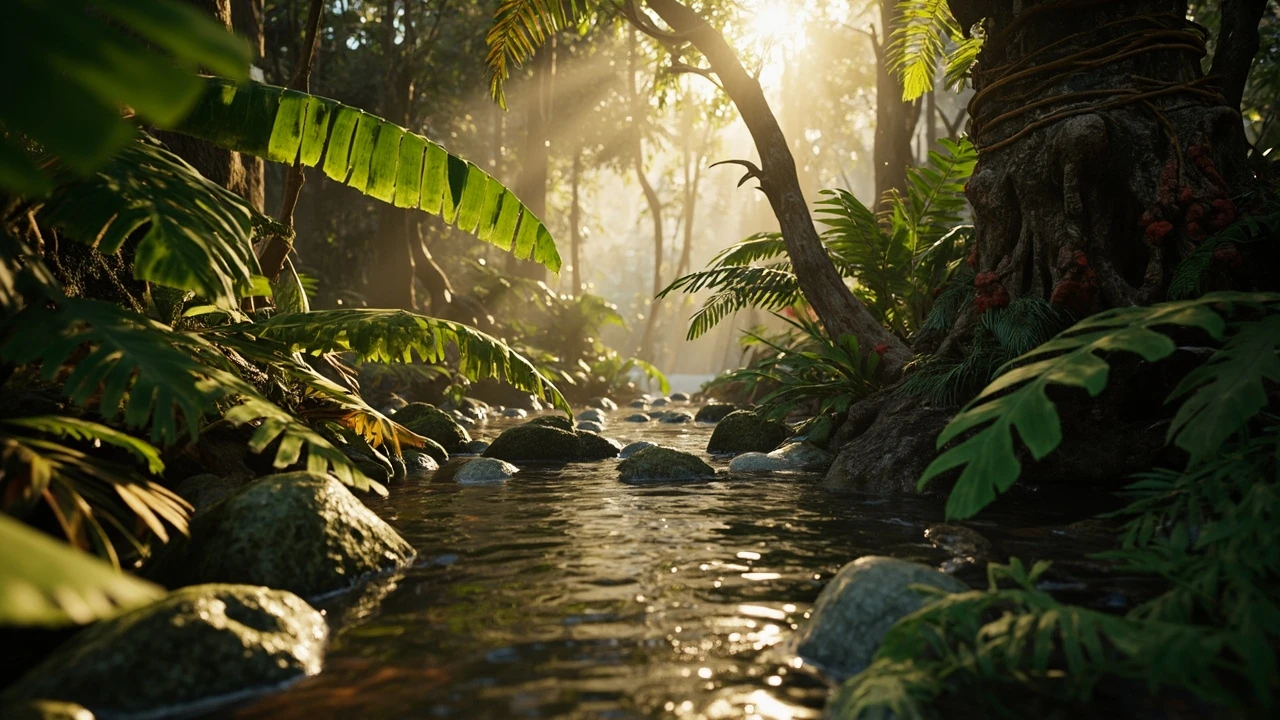
A jungle scene turns into a wall of green the moment the camera leaves the hero shot, and that is the first thing most teams feel when tropical plants grow a garden compositions start looking flat in motion. The visual idea is simple: dense, layered, alive. The implementation is not. Every leaf, every ground decal, every shaft of light costs something, and the player’s eye is much more forgiving of empty space than of muddy foliage. The job for an environment artist is to turn the design reference into a scene that holds up at gameplay distance, on the target hardware, and across the moments the camera actually visits.
This guide is written for the people who make that scene: environment artists, technical artists, level designers, and the lead who has to defend the budget. It walks through how to think about a tropical biome as a system, how to choose and place assets so the scene reads, how to manage performance, how to keep the work maintainable across a production, and how to validate the result before it ships. Where the term tropical plants grow a garden appears, it is shorthand for the layered, organic, lived-in feeling that designers reach for when a biome needs to feel warm, abundant, and slightly overgrown.
Tropical plants grow a garden: what the biome has to do in a game
Before any foliage card is placed, the team has to agree on what the biome is for. A jungle used as a hub area, a stealth playground, a vertical climbing puzzle, and a story climax all ask different things of the same plant life. The phrase tropical plants grow a garden captures an atmosphere, but atmosphere is only the surface. Underneath, a jungle has to support a player’s movement, frame a camera, hide or expose enemies, signal points of interest, and stay readable under variable lighting and weather.
Start with a one-paragraph design brief and put it in the level’s design document. The brief should answer four questions:
- What does the player do here: traverse, hide, fight, gather, solve?
- What does the camera do: tight third person, wide orbit, first person, flythrough?
- What time of day and weather does the scene need to support across the campaign?
- Which landmarks or beats in the level have to read at a glance from a distance?
Once those answers are settled, the rest of the jungle work becomes a question of whether each plant, rock, and prop is helping one of those jobs. If a beautiful fern does not serve a movement path, a sightline, a sound occlusion shape, or a storytelling beat, it is decoration, and decoration has to earn its cost.
The structure of a believable tropical scene
A tropical garden is rarely random. Botanists and reference photographers shoot the same patterns over and over because plants compete for light in predictable ways. A scene that copies those patterns reads as a place; a scene that does not reads as a wallpaper of leaves. Understanding the structure is the single biggest quality lever an environment artist has when tropical plants grow a garden pieces feel unconvincing. Reference material on layered planting and the four-layer logic common in landscape design is useful starting vocabulary; the tropical garden entry in Wikipedia gives a concise overview of the conventions designers borrow from real horticulture.
A useful mental model is four vertical layers, each with its own job, palette, and asset rules.
Canopy layer
The canopy is the ceiling of the jungle. From the player’s point of view, it frames the sky, casts the dappled light, and tells the eye this is outdoors and tall. Canopy assets should be larger leaves on flatter planes, grouped into a few large masses rather than many small ones. Their job is silhouette and shadow, not detail. A good canopy reads at silhouette distance, even when the camera is far above the understory. A bad canopy is a noisy mesh of small leaves that flicker as the camera turns.
Midstory layer
The midstory is where the player actually lives. Palms, tree ferns, banana plants, heliconias, and tall shrubs form the human-scale architecture of the biome. This layer defines the playable corridor, hides and reveals NPCs, and supports climbing, ziplines, and rope swings when the design calls for them. Midstory assets carry the most silhouette weight in gameplay shots and should receive the most art time per square meter of level.
Understory layer
Understory plants are the broad-leaf ground cover: monstera, philodendron, calathea, ferns, gingers, and small flowering species. From above the camera they read as texture; from the player’s eye they read as the floor of the world. This layer is where most teams overspend, because each plant is attractive on its own and easy to scatter. Treat understory as a system: pick three to five species, give each a clear role (broad leaf, frond, grass-like, spiky, flowering), and distribute them by rule, not by hand.
Floor and soil layer
The floor is the layer players walk on, but it is also the layer that grounds everything above it. Decals for fallen leaves, exposed roots, moss, mud, scattered debris, and small props carry the sense of a place that has been there for a while. A common failure mode is to skip the floor because the camera is usually looking up or ahead, but the moment the player looks down, a clean tile floor or a flat grass texture breaks the illusion. Investing in the floor layer is cheap relative to its effect on believability.
| Layer | Typical species families | Main job in the scene | Common overuse |
|---|---|---|---|
| Canopy | Broad-leaf trees, large palms | Silhouette, shadow, sky framing | Per-leaf detail at gameplay distance |
| Midstory | Palm, banana, tree fern, heliconia | Playable architecture, NPC concealment | Random rotation that blocks paths |
| Understory | Monstera, fern, ginger, calathea | Ground texture, close-up richness | Scatter density that hides the path |
| Floor and soil | Moss, leaf litter, roots, mud | Grounding, history, materiality | Flat tiling without decals or breakups |
Choosing assets and biome library
The asset list is where the biome becomes real on disk. A scattered mix of store packs and bespoke sculpts will be felt as inconsistency long before it is seen as a quality issue. The pragmatic answer is a small, coherent library, not a large, varied one. A well-built library of around twenty to thirty plant assets, three to five trunk types, and a tight set of props can carry an entire tropical chapter if the rules for using them are clear.
When evaluating or building a tropical library, run each asset through a checklist before it joins the level:
- Silhouette test: does the asset have a recognizable outline at gameplay distance without color or texture?
- Color separation: can the eye tell this asset from its neighbor by hue and value, not only by shape?
- LOD plan: what does it look like at half size and at quarter size, and at what distance does it become a billboard?
- Wind and animation: does the asset need vertex animation, simple sway, or no movement at all?
- Collision cost: is the collision a simple capsule, a convex, or does it need a custom mesh?
- Draw call impact: how many materials and submeshes does the asset carry into a scene?
The last two items are where tropical scenes usually explode. Each plant wants its own material to look right, each plant wants a custom collision to feel right, and each plant wants to sway independently. Multiply that by a few hundred instances in a dense scene and the frame budget is gone before the first enemy spawns. A library is not a list of plants, it is a set of rules for how those plants are allowed to be used in aggregate.
Composition and layout that survive gameplay
A still image of a jungle can be made convincing with a reference photo, a careful camera, and time. A playable jungle has to be convincing from angles the player picks, in lighting the level designer picks, and at distances the camera rarely sees. The composition rules that work in a single frame often fail in a level, so the team needs a different set of rules for gameplay layouts.
Build a corridor, not a field
Most jungle levels are sold as dense and end up as blocked. The fix is to think of the jungle as a corridor with a soft edge, not a field with obstacles. The player needs a clear path of roughly two to three meters at all times, plus a denser zone of plants one to two meters beyond it, plus a backdrop layer two to five meters beyond that. Reading the scene from the player’s feet outward, in three bands, makes it easy to keep play spaces open while keeping the world busy.
Use landmarks, not just plants
Plants blend into plants. To give the player a sense of place, the scene needs a small number of large landmarks: a fallen kapok tree, a strangler fig on a ruin, a bright flowering tree, a rock formation, a cliff face. These are the things the player remembers and uses for navigation. They are also the things the camera frames during cinematics, so they carry the production value of the entire biome on their shoulders.
Group before scatter
Scattering plants one by one is a trap. It produces a uniform noise that the eye reads as fake. The workable pattern is to build small plant groups of three to nine assets, place those groups by hand along the level’s story beats, and then scatter or paint the gaps with a simple rule. This gives the scene a sense of curation: some areas feel like the artist stopped to compose, others feel like the biome continued on its own.
| Composition rule | What it does | Risk if overused |
|---|---|---|
| Corridor with soft edge | Keeps play space readable | Level feels like a hallway if not varied |
| Landmark placement | Gives navigation and cinematic framing | Landmarks compete if too close together |
| Group before scatter | Adds curation to density | Hand-placed groups can read as art-directed if overused |
| Negative space at beat points | Lets the camera see the action | Too much clearing breaks the biome |
Performance: the cost of looking alive
A still tropical image is cheap. A moving tropical image, with thousands of leaves animating under a dynamic sky, is one of the most expensive scenes a real-time engine can render. The reason is that tropical plants are designed by nature to be busy. They have many small elements, they overlap, they are translucent, and they move. A team that does not budget for that busyness will feel it as soon as the first gameplay capture is reviewed.
The performance plan for a tropical scene rests on four pillars: draw call and instance budget, triangle and pixel budget, overdraw budget, and animation or compute budget. Each one needs an owner, a target number, and a check that runs in CI or in nightly builds.
Draw calls and instancing
Each unique plant material is a draw call. In a jungle of three hundred plants across five species, five materials, and instancing, the foliage contribution can be a handful of calls. The same jungle with random rotation and per-instance color can be hundreds of calls. The fix is not to reduce the variety, it is to design the variety so it can be instanced: shared materials, shared meshes, GPU instancing, and a small palette of allowed transforms.
Triangles and pixel cost
Tropical leaves are thin, so alpha-tested or alpha-blended foliage can overdraw the framebuffer heavily. Two overlapping leaves in a tight jungle can mean four, six, or eight layers of transparency in the same pixel. The eye loves the result, the GPU does not. Tools that visualize overdraw are the fastest way to find the worst hotspots; sorting leaves back-to-front, simplifying the smallest species, and reducing alpha coverage at distance all help.
Animation and wind
Vertex animation, simple sway, and wind shaders look beautiful and are surprisingly expensive at scale. A common pattern is to keep heavy wind on the canopy and a few hero plants, and use a cheap GPU sway or no animation at all on the understory. The eye reads canopy movement much more than understory movement, so this is one of the cheapest visual wins in the budget.
Streaming and memory
A full tropical chapter can run into gigabytes of texture and mesh data if the team is not careful. Streaming distances, mesh LOD chains, and texture mip streaming keep the working set within the target platform’s budget. On consoles and mobile in particular, a working target is to keep one biome’s worth of high-detail assets in memory and stream the rest from disk. Tropical assets, with their large textures and complex alpha, are usually the first to expose any weakness in that pipeline.
| Budget area | Target metric | Common failure | Cheapest fix |
|---|---|---|---|
| Draw calls | Single-digit calls per plant group | Per-instance materials | Shared materials with GPU instancing |
| Triangles | Defined per platform | High-poly leaves on understory | LOD swap to billboards at distance |
| Overdraw | Visible in profiler | Stacked alpha leaves | Reduce coverage and sort layers |
| Animation | Few hundred animated instances | Per-leaf vertex animation on all species | Restrict heavy wind to canopy and heroes |
| Memory | Working set per biome | All assets loaded at level start | Mesh and texture streaming |
Lighting a scene that is mostly green
Tropical scenes are dominated by a narrow part of the spectrum: greens, with warm yellows and browns. That narrow palette is what makes a jungle feel like a jungle, and it is also what makes it the hardest scene to light. A small change in ambient color can swing the entire image from believable to sickly. The lighting team needs to design for that.
Three lighting decisions carry most of the weight:
- A warm, slightly desaturated key light that suggests filtered sun through a canopy, with strong contrast between sun and shadow.
- A cool, low-intensity fill or skylight that gives shadow areas a hint of sky color rather than going neutral gray.
- Volumetric shafts, screen-space god rays, or particle dust that sells the feeling of light cutting through leaves.
The trap is over-lighting. A jungle that is too bright reads as a botanical garden. A jungle that is too dark reads as unreadable. The right balance is high contrast at the macro level, with enough local fill at the micro level that the player can read their character and their immediate path. Many teams use a sun-and-shadow rule: define the sun direction, define the shadow color, and commit to both, then let the rest of the lighting fall out of those two choices.
Audio, occlusion, and the sense of a living place
A jungle without sound is a green room. A jungle with sound is a place. The audio side of a tropical biome is often under-resourced, because the focus is on art, but a small amount of well-placed audio work makes the scene feel inhabited in a way no amount of foliage can. Birds, insects, distant water, wind in the canopy, and the occasional branch crack each add a sense of a world that continues outside the camera.
Occlusion is the technical side of the same idea. Plants should occlude and be occluded by sound in ways that match what the player sees. A path that opens up should sound open. A dense thicket should sound dense. Setting up occlusion volumes around major plant groups, with materials that match their density, lets the audio engine respond to the visual layering. Understory plants, often neglected in art reviews, do real work here: they muffle footsteps and shift the ambient mix as the player pushes through them.
Gameplay integration: AI navigation and physics in dense foliage
Plants are not just pretty. They are part of the simulation. An enemy that walks through a bush should still register cover, an animal should not walk through a tree trunk, and a thrown object should rest on the floor in a believable way. Each of these behaviors depends on the same assets behaving predictably as collision, as navmesh modifiers, and as cover volumes.
Pragmatic rules for gameplay integration:
- Use a single low-resolution collision proxy per plant group, not per plant, and keep its shape slightly smaller than the visible silhouette so the player does not catch feet on invisible edges.
- Mark understory areas as navmesh modifier slow or no cover so AI behaves consistently, rather than relying on per-plant navigation cost.
- Use static mesh decals or painted masks for areas the player can hide in, rather than relying on dynamic cover detection through individual plants.
- Define a foliage collision channel that lets projectiles, vision, and interaction queries treat plants as a single category, and let gameplay code ask “is this point in foliage” without iterating every leaf.
These choices make the jungle playable without turning the scene into a navigation problem. The visible richness stays, the simulation cost stays bounded, and designers can predict how the scene will behave before they commit to a layout.
Production workflow and version control
A tropical scene takes a long time to make, and a long time to break. The most common production failure is not artistic, it is structural: assets are renamed, materials change, decal sets drift, and the level slowly stops matching the library. Without a disciplined workflow, the scene is impossible to update, and a small change in the canopy shader can take a week of re-approval because nobody can tell what depends on what.
Use a single biome library as a versioned package. The package should include meshes, materials, collision proxies, wind settings, scatter rules, and the level’s instanced vegetation. Treat that package as the source of truth: changes to a plant go through a review, the package is rebuilt, and levels pull the new version. Avoid editing a plant’s mesh inside a level; that is the path to one-off assets and broken LODs.
For version control, prefer an asset database that tracks dependencies and lets the team see who changed what. A pull request on a tropical scene is not a code review in the usual sense, but it works the same way: the change has a description, screenshots, performance numbers, and a sign-off. The discipline pays off the first time the lighting team needs to update the canopy shader, or the first time a console build reveals an overdraw problem in a specific level.
Validation: how to know the scene is actually working
A scene that looks good in the editor can still fail in a capture, in a stress test, on a target platform, or at the hands of a player who goes somewhere the designer did not expect. Validation has to cover all of those cases, and it has to happen early, not at the end of the level.
A reasonable validation pass for a tropical scene looks like this:
- Capture screenshots from the planned camera beats, at the planned times of day, and compare to the design brief.
- Run a profiler pass on the target hardware with the planned enemy count, weather, and player activity. Record frame time, draw calls, and memory.
- Walk the level as a player, including paths the designer did not intend. Look for places where the player can get stuck in plants, lose sight of landmarks, or trigger physics glitches.
- Hand the level to a tester who has not seen the design and watch them play. Note the moments they pause, get lost, or stop noticing the foliage.
- Run an automated playtest that moves the camera along the planned spline and captures metrics for overdraw, triangle count, and material variants at each beat.
The first two items answer “is it beautiful and fast.” The last three answer “is it playable and maintainable.” All five belong in the sign-off, not just the first.
Platform-specific notes for a tropical biome
A scene that targets PC, console, and mobile cannot be the same scene on all three. The plant counts, the overdraw, and the streaming budget have to be planned for the lowest target, then scaled up. A few practical differences to keep in mind:
- Mobile is constrained by fill rate, not by triangles. Reduce overdraw first: fewer alpha layers, simpler leaves, smaller coverage.
- Console sits in the middle, and the usual bottleneck is the GPU’s pixel and overdraw cost, not the CPU, so vegetation LODs and instancing matter more than AI cost.
- PC has the most headroom but also the widest variance: a 4K scene on a top card and a 1080p scene on a mid card can be a 4x difference in cost. Use scalable settings for plant density, wind, and shadow quality.
- Handheld and Switch-class hardware benefits the most from aggressive billboard LODs and a tight canopy. A scene that looks stylized on those platforms usually reads as designed rather than compromised if the LOD plan is honest.
Common failure modes and how to avoid them
Most tropical scenes fail in one of a small number of predictable ways. Knowing the failure modes up front is the fastest way to skip them.
- Green soup: too many mid-green hues, no value contrast, no color separation. Fix by using value at least as much as hue, and giving each layer a clearly different value range.
- Plant soup: too many species, no grouping, no landmarks. Fix by cutting the library and adding landmarks.
- Sun-blasted jungle: lighting is too bright, no shadow contrast, scene feels like a park. Fix by committing to a sun and shadow color and reducing fill.
- Stuck foliage: player gets caught in collision proxies. Fix by using per-group proxies, never per-plant, and testing the path with a wide character controller.
- Flicker: leaves on the camera plane alpha-sort incorrectly and the scene twinkles. Fix by sorting, reducing alpha coverage at distance, and using dithered or opaque leaves on the camera path.
- Performance cliff: the scene runs at 60 fps in the editor and 30 fps in the build. Fix by always measuring on the target platform, with the planned scene activity, not in the editor with nothing happening.
Frequently asked questions
How do I keep a tropical scene from looking like a wall of green?
The fastest fix is value contrast, not color contrast. Greens that share the same value blend into each other regardless of hue. Push the canopy to a darker value, the midstory to a mid value, and the understory to a lighter or more saturated value, and add a few warm accents in props and flowers. Once the value range is right, the same scene reads as layered instead of flat.
What is a reasonable plant count for a tropical level on console?
There is no single number, but a working range for a modern console is roughly 1,500 to 4,000 instanced plants per visible area, with a hard cap on the number of unique species. The exact cap depends on the platform’s GPU, the wind system, and the alpha cost. Validate on the target hardware with the planned scene activity, and use the profiler as the final answer rather than a rule of thumb.
Should I buy a store pack or build a bespoke library?
If the project has a specific art direction, build a bespoke library. If the project is a short or stylized title, a curated store pack with consistent style and a tight set of rules can work. The bigger risk is mixing sources without a unifying pass, which produces a scene that reads as a catalog. Either way, plan for a pass that normalizes color, scale, and LOD behavior across the library.
How do I balance dense foliage with a clear gameplay path?
Use the corridor-with-soft-edge rule. Keep a roughly two to three meter clear band along the path, allow a denser one to two meter zone on either side, and put the densest layer at the background. The player feels surrounded without ever feeling blocked, and the camera can frame the action through the soft edge.
What is the cheapest way to make a tropical scene feel more alive?
Audio. A small set of well-mixed ambient loops, the right occlusion, and a few key creature sounds will do more for the sense of place than a third pass on the foliage. The second-cheapest win is wind on the canopy only, which is cheap to animate and reads as motion throughout the scene.
How do I handle undergrowth so it does not hide the path?
Treat understory as a system, not as scatter. Pick three to five species, give each a clear role, and paint or scatter them with a rule that keeps the playable corridor open. Most engines offer an exclude-from-path or avoid-volume feature for exactly this case, and it is worth setting up at the start of the level rather than fixing it after the layout is done.
What should I measure when I profile a tropical scene?
Frame time on the target hardware, draw calls per frame, triangle count per frame, overdraw at the worst camera beat, and the working set of memory. For a deep pass, add GPU timestamps for the vegetation pass specifically, and a CPU profile of the AI and gameplay threads during a heavy combat moment. Without those numbers, optimization is guesswork.
Can a tropical scene be readable at night or in heavy weather?
Yes, but only if it is designed for it. Add a value pass that pushes important paths and landmarks to a lighter or warmer value than the rest of the scene, and add a small set of light sources (lanterns, fireflies, bioluminescence) that the lighting designer can lean on when the sun goes down. Without those, the scene collapses into a uniform dark green at night, and the player loses their landmarks.
How do I keep a tropical scene maintainable across a long production?
Treat the biome library as a versioned package with a single owner. Changes go through review, the package is rebuilt, and levels pull the new version. Avoid editing plants inside a level, and keep scatter rules in the level layer rather than baked into assets. The discipline is boring and pays for itself the first time the canopy shader changes.
What is the biggest mistake teams make with tropical foliage?
Treating it as decoration rather than as a system. When a team treats foliage as a pile of pretty plants, performance, readability, and maintenance all start to slide. When a team treats it as a structured biome with a library, layers, rules, and a budget, the scene becomes predictable, performant, and improvable across the production. The choice sounds small and the difference in shipped quality is large.
