
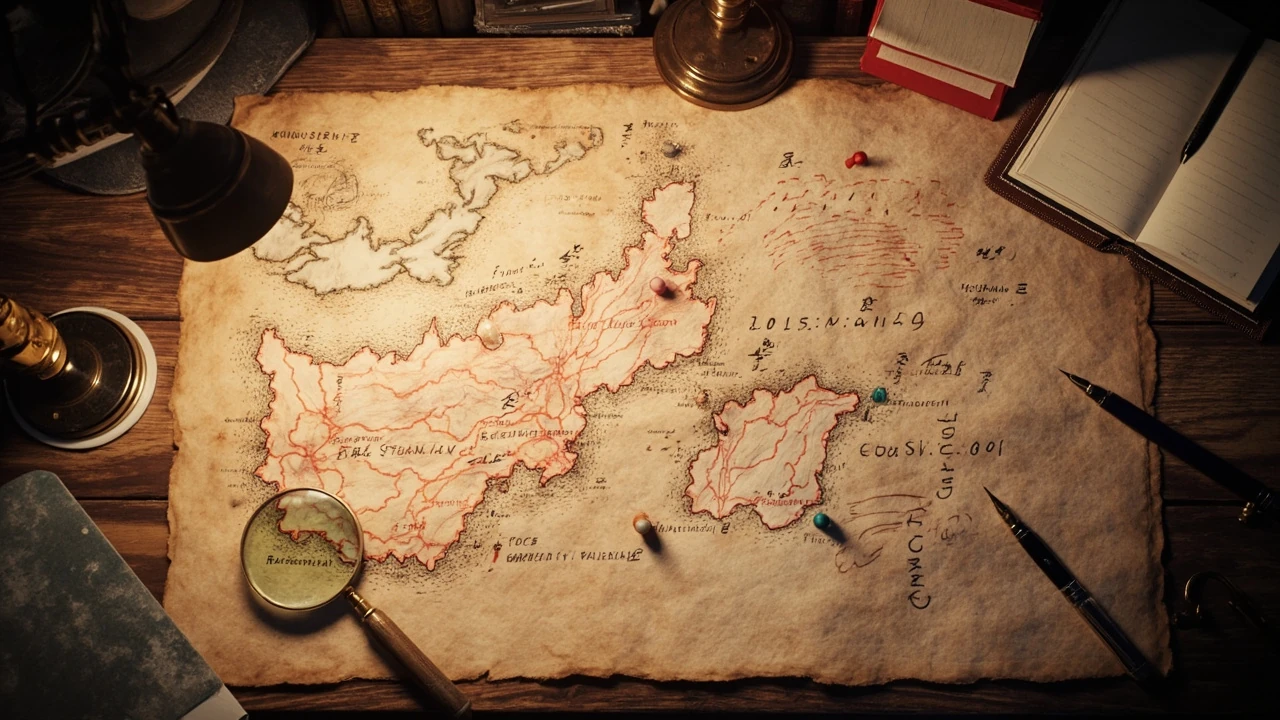
Ghost of Yotei map: how the open world is actually structured
The Ghost of Yotei map is the navigation surface for a large open-world action game set in Edo-period northern Japan, and its design choices reveal a lot about how modern studios structure player guidance at scale. Rather than dumping a single saturated overhead view on the player, the map is organized into named regions, each with its own collectible categories, traversal challenges, and density profile. For developers and curious players, reading the map as a design artifact is often as useful as reading it as a gameplay tool, because the icon vocabulary, fog reveal logic, and region boundaries are the same systems that ship in most contemporary action-adventure productions.
This article treats the Ghost of Yotei map from a development-informed angle. It walks through how regions are framed, what each point-of-interest category actually represents in build terms, how fast travel and fog of war interact, and what design lessons the map illustrates for studios working on similar open-world projects. Where a specific fact depends on a verified source, that source is cited; where the article extrapolates from general open-world design practice, the wording stays qualified so the editorial line is never confused with a confirmed in-game claim.
Regions on the Ghost of Yotei map
The Ghost of Yotei map is divided into multiple named regions, and the regional framing is the single most important navigation concept for new players. Each region carries its own elevation profile, weather bias, enemy archetype, and side content density, which means that the same icon can carry different meaning depending on where it sits. Designers at studios building similar open worlds typically use this region-first structure because it lets them tune encounter pacing and quest availability per biome without rewriting the global quest scheduler.
| Region type | Typical elevation | Common traversal challenge | Expected POI density |
|---|---|---|---|
| Coastal lowlands | Sea level to low hills | River crossings, shoreline cliffs | High settlement and camp count |
| Forest midlands | Rolling hills | Dense foliage, limited sightlines | Moderate shrine and ambush density |
| Mountain highlands | Steep ridges, snow line | Vertical climbing, cold weather | Low density, high reward per find |
| Volcanic foothills | Mixed slopes, hot springs | Geothermal vents, narrow paths | Medium density, thermal POIs |
For players, the practical takeaway is that the Ghost of Yotei map rewards region-by-region exploration rather than diagonal sprints. For developers, the takeaway is that regional metadata is what enables a stable quest scheduler, a consistent save footprint, and predictable streaming handoffs when the player crosses a boundary.
Points of interest and what each icon actually means
The Ghost of Yotei map uses a layered icon set so that the same overhead space can communicate several systems at once. Collectible categories, fast-travel nodes, vendor locations, and encounter zones are placed in distinct visual layers, and the player can toggle them individually. The community-maintained Ghost of Yōtei interactive map lists categories such as Altars of Reflection, Bamboo Strikes, Hot Springs, Inari Shrines, Mountain Reliquaries, Pillars of the Fallen, Shrines, Sumi-e Paintings, Wolf Dens, Ainu Findings, and progression categories including Armor, Charms, Shamisen Songs, Vanity Gear, and Bounties.
From a development perspective, each of those labels is a separate gameplay subsystem with its own state machine, save entry, and telemetry tag. When a designer changes, for example, how a Hot Spring restores resources, the change is normally scoped to that subsystem rather than the global map layer. That separation is also why an icon’s meaning tends to remain stable across patches while the underlying reward can be rebalanced without renaming the marker.
- Sumi-e Paintings and Hot Springs reward exploration and curiosity rather than combat skill, so they are usually densest in scenic lowlands.
- Bamboo Strikes and Pillars of the Fallen test reaction and timing, so they cluster near combat arenas and ridge paths.
- Inari Shrines and Wolf Dens gate small progression rewards, so they are typically placed at decision points that re-route the player.
- Mountain Reliquaries and Ainu Findings act as deep-region objectives, so they tend to appear only after the player has the traversal tools to reach them.
Fog of war, reveal radius, and player guidance
The Ghost of Yotei map uses a fog-of-war model that gradually reveals terrain as the player physically traverses it. The reveal radius is usually tied to line of sight, elevation, and a small constant buffer so that nearby valleys peek into view from a ridge. This is a deliberate guidance pattern: rather than placing objective markers on the player’s HUD, the studio lets the world itself push the player’s attention toward the next interesting silhouette.
Developers familiar with this pattern will recognize several implementation building blocks:
- A terrain heightfield sampled at the player’s viewpoint to compute a visibility cone.
- A region-level boolean grid that flips from unrevealed to revealed when the player enters the cell.
- An icon layer that becomes queryable only after its cell is revealed, so the player cannot plan a route to a still-hidden objective.
- A boundary mesh that triggers a streaming load when the player crosses a region seam, which keeps memory budgets predictable.
The result is a map that feels alive but does not require the studio to hand-author every viewpoint. New points of interest appear as natural extensions of the player’s path rather than as floating arrows, which keeps the screen readable during combat and traversal.
Fast travel and how it interacts with exploration
Fast travel on the Ghost of Yotei map is normally unlocked by discovering specific nodes such as shrines, inns, or major landmarks. The network is sparse on purpose: every fast-travel point is a deliberate design surface where the player rests, listens to ambient dialogue, and re-equips before the next excursion. This is a common pattern in action-adventure open worlds because it preserves pacing and gives the audio team predictable quiet windows for music and environmental storytelling.
| Fast-travel node type | Typical unlock condition | Design intent |
|---|---|---|
| Shrine | Approach and interact | Religious tone, save anchor, light restore |
| Inn or settlement | Complete the local story beat | Vendor access, quest handoff, rest |
| Major landmark | Reach and clear a small objective | Reward for traversal, panoramic viewpoint |
From a production standpoint, the unlock chain matters because it tells the level designer exactly how much of the map must be reachable without fast travel. If a designer places a high-tier bounty in a mountain region, they also need to guarantee that the player can walk there from a known node using only in-region traversal, so that the encounter is reachable even for players who never unlock cross-map travel.
Map UI, scale, and how the map is rendered
The map UI typically combines a small persistent mini-map, a mid-zoom tactical map, and a full-screen world map. The mini-map handles immediate orientation during combat, the tactical map handles local quest routing, and the world map handles cross-region planning. Each of these views consumes data from the same underlying world state but renders a different subset, which is why the same icon can show up in one view and be deliberately hidden in another.
Rendering performance is a recurring concern in any open-world map UI. A practical approach, used in many similar titles, is to keep the world map rasterized at multiple zoom levels and only re-render the icon layer when the player toggles a category. The terrain tiles are usually baked at build time, while the icon layer streams in as the player reveals the underlying cells. This separation keeps memory usage flat and lets designers add new collectible categories late in production without rebuilding the entire terrain pipeline.
How the map supports quests and progression
Quests on the Ghost of Yotei map are usually anchored to named locations rather than to floating waypoints. When a quest begins, the map highlights the destination region and sometimes a rough area inside it, but it leaves the final step to in-world navigation. This is a deliberate trade-off: precise waypoints feel safe but flatten the world, while area-only waypoints preserve the sense of discovery but demand more from the level layout and visual landmarking.
For a design team, the practical checklist is roughly the following:
- Each quest region should contain at least one visible landmark that points toward the quest objective.
- Quest areas should not overlap so densely that the player cannot tell which objective belongs to which quest.
- Failure states, such as a missed item or a defeated target, should still leave a recoverable breadcrumb on the map.
- Progression-gated regions should communicate the gate through the map UI without spelling it out in text.
This is also where the Ghost of Yotei map’s icon vocabulary earns its keep. Because Inari Shrines, Bamboo Strikes, and Pillars of the Fallen each communicate a different kind of reward, the player learns to read the map as a layered instruction sheet rather than a flat checklist.
Common player problems and how to debug them on the map
Even with careful design, players will run into recurring map-related issues. The most common are missing icons, unreachable objectives, and confusing region boundaries. The map UI itself can usually clarify the cause if the player knows what to look for, and the same diagnostic mindset is useful for developers debugging their own systems.
- Icon does not appear: the cell may not be revealed yet, or the underlying subsystem may be locked behind a progression flag.
- Objective feels unreachable: the player may be looking at a progression-gated region and needs a traversal tool from a different area.
- Region seam glitches: the streaming boundary may have failed to load, which usually resolves after a short pause and a re-crossing.
- Stale marker after a patch: icons tied to a removed subsystem are typically cleaned up server-side, but a local restart often resolves leftover markers.
For developers, these four cases map to four different engineering surfaces: rendering, progression data, streaming, and save migration. Tracing a player complaint to the right surface is usually faster than reading the raw log.
Comparing the Ghost of Yotei map to other open-world maps
Open-world maps tend to fall into a few stable archetypes, and the Ghost of Yotei map sits in the region-clustered, fog-revealed, sparse-fast-travel family. Compared with a dense grid map that exposes every shop and side quest from the start, a region-clustered map trades immediate completeness for long-tail discovery. Compared with a fully guided waypoint system, it trades short-term clarity for a stronger sense of place.
| Map style | Player effort to read it | Sense of discovery | Design cost |
|---|---|---|---|
| Region-clustered, fog-revealed | Medium | High | High |
| Dense grid, always visible | Low | Low | Medium |
| Fully guided waypoints | Very low | Very low | Low |
| Procedural, no fixed map | High | Variable | Very high |
The Ghost of Yotei map inherits most of its character from the first row of that table. It assumes that the player is willing to read a layered map, and it rewards that willingness with collectibles that do not advertise themselves on the HUD. The cost is real: level designers must hand-place landmarks, and the QA team must verify that every region is reachable from a known node without fast travel.
Lessons for studios building similar open-world maps
For studios working on action-adventure open worlds, the Ghost of Yotei map is a useful reference for how a relatively small icon set can support a large content catalog. The discipline is to give each icon a stable meaning, to keep progression gates consistent across regions, and to treat the map as a layered product rather than a single image. The same principles show up in successful independent productions, and they are part of why a focused map UI often feels better than a maximalist one.
The other lesson is structural. The map is not a feature; it is a delivery surface for every other feature in the game. Quests, traversal, combat, and progression all show up on it, and the map UI team has to coordinate with every other discipline to keep the layers coherent. Studios that treat the map as a late-stage polish task tend to ship inconsistent icon behavior, while studios that plan the map’s data model early tend to ship cleaner patches.
For a studio planning a similar project, the safest starting point is to lock the icon vocabulary, the region list, and the fast-travel graph before the first quest is written. Once those three are stable, the rest of the map can grow with the content rather than chasing it.
Frequently asked questions
How many regions does the Ghost of Yotei map have?
The map is divided into several named regions, each with its own elevation profile and collectible density. The exact count and naming should be confirmed against the current in-game map and a verified community resource, because region lists are the kind of detail that is most likely to shift between patches and DLC updates.
Where can I see every point of interest on the Ghost of Yotei map?
Community-maintained interactive maps usually mirror the in-game categories, including shrines, hot springs, painting locations, and combat challenges. The Ghost of Yōtei interactive map is one such reference and can be used as a planning tool, though the in-game map remains the most reliable source for the player’s current save state.
Does the Ghost of Yotei map have fast travel?
Fast travel is available in the form of unlocked nodes such as shrines and major landmarks. The network is intentionally sparse so that exploration retains its pacing and so that the audio and narrative teams keep predictable quiet moments for storytelling.
How does fog of war work on the Ghost of Yotei map?
The map reveals cells as the player physically traverses them, with reveal radius influenced by elevation and line of sight. This is the same general pattern used in many contemporary open-world action games, and it is the reason why high ground is often a good place to plan a route.
Can I see quests on the Ghost of Yotei map?
Quests are usually anchored to named locations rather than to floating waypoints, and the map highlights the relevant region once a quest is active. The final step is left to in-world navigation, which preserves the sense of discovery at the cost of a small amount of short-term clarity.
What is the difference between a shrine and an altar on the Ghost of Yotei map?
In the broader Ghost series, shrines tend to function as fast-travel and rest points, while altars are typically tied to narrative or remembrance moments. The exact distinction on the Ghost of Yotei map should be confirmed in-game, because the studio may have redefined either category for this entry.
How do I plan an efficient route across the Ghost of Yotei map?
The most efficient routes usually follow region boundaries rather than diagonals, because the streaming and traversal systems are tuned around that structure. Starting from a known fast-travel node, working outward by elevation, and saving high-mountain objectives for after the relevant traversal tools are unlocked is a reliable general approach.
Does the Ghost of Yotei map change with patches or DLC?
Open-world maps of this scale are usually extended, rather than rewritten, when new content is added. New regions or POIs tend to appear as additive layers, and existing icons are rebalanced rather than renamed, which keeps the icon vocabulary stable for long-term players.
Is the Ghost of Yotei map useful for developers as well as players?
Yes. The map is a clean case study in region clustering, layered iconography, sparse fast travel, and fog-of-war reveal, all of which are reusable patterns in other action-adventure productions. Studios building similar maps can use it as a reference for how a small icon set can support a large content catalog without overwhelming the player.
